How to import my Ledger transactions
Do you want to import your LEDGER transactions into Exceefy? Follow this step by step guide to export your data from Ledger Live and import it easily.
Export your transactions from Ledger
How to export my transactions from Ledger ?
Download and install the latest version of Ledger Live if it has not already been done.
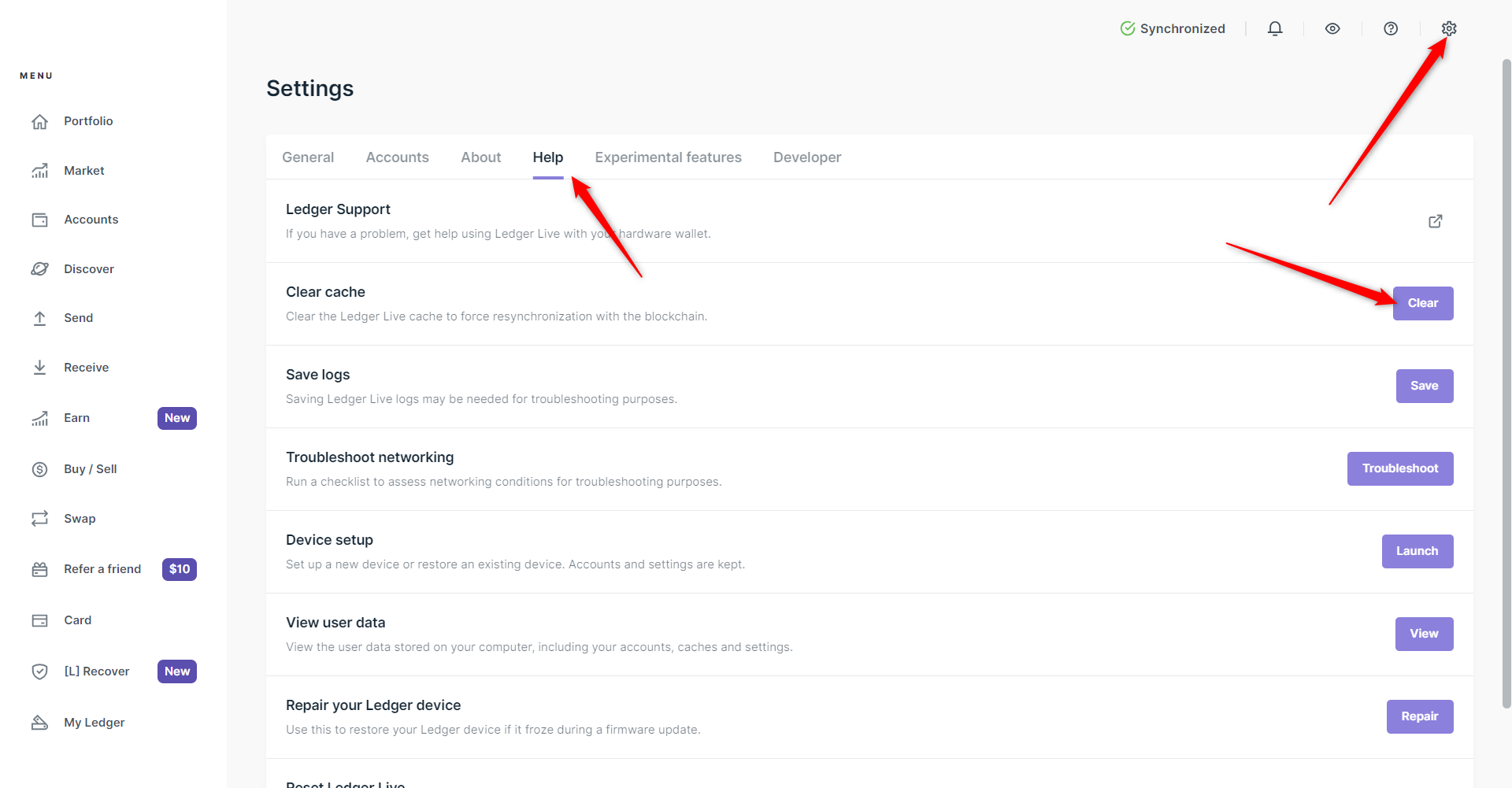
Open LEDGER LIVE and click on the Settings.
Access the Help tab and choose erase to empty the cache. This allows you to synchronize your accounts with the blockchain.

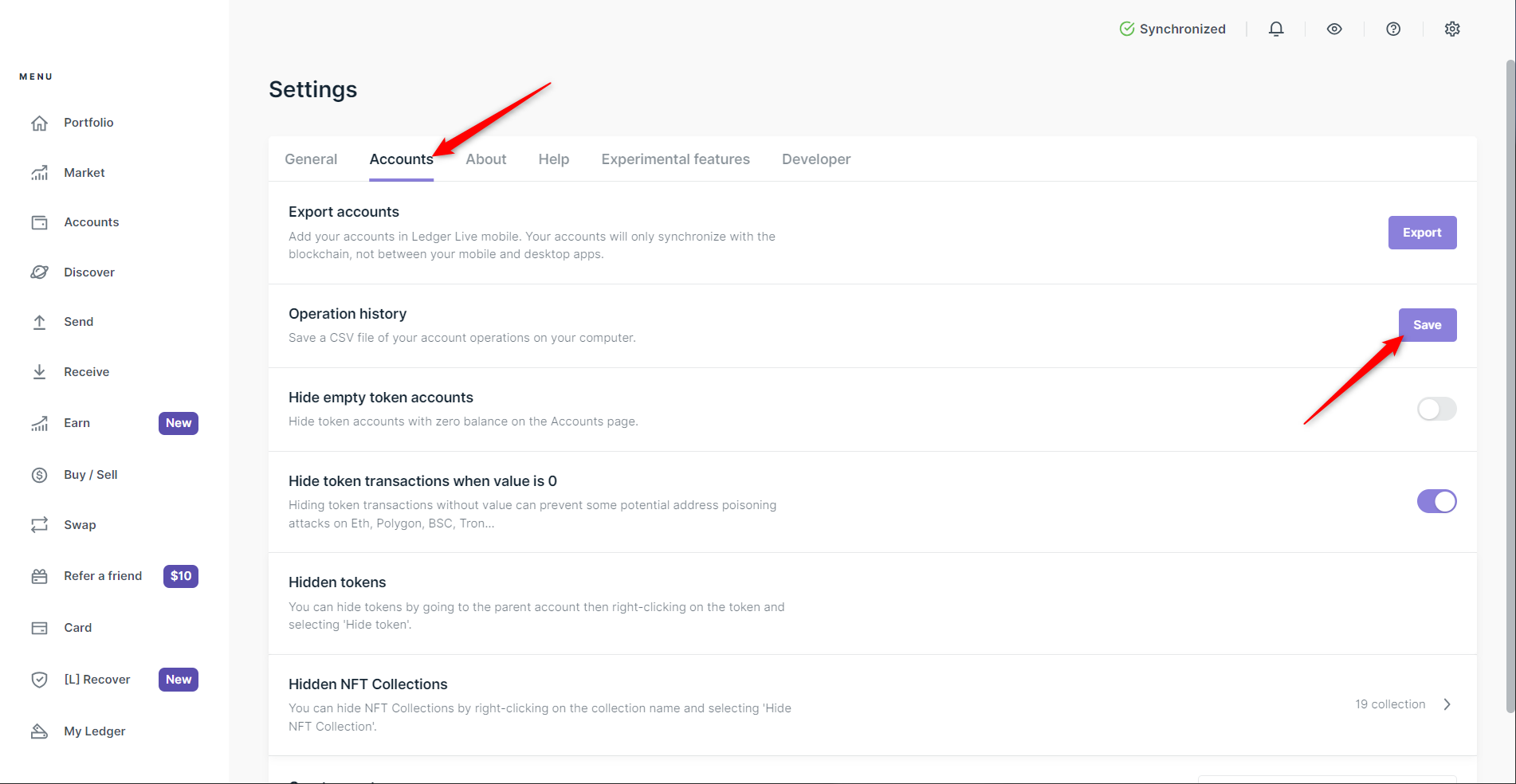
- Return to Settings → Accounts → Operations history, then click Save.

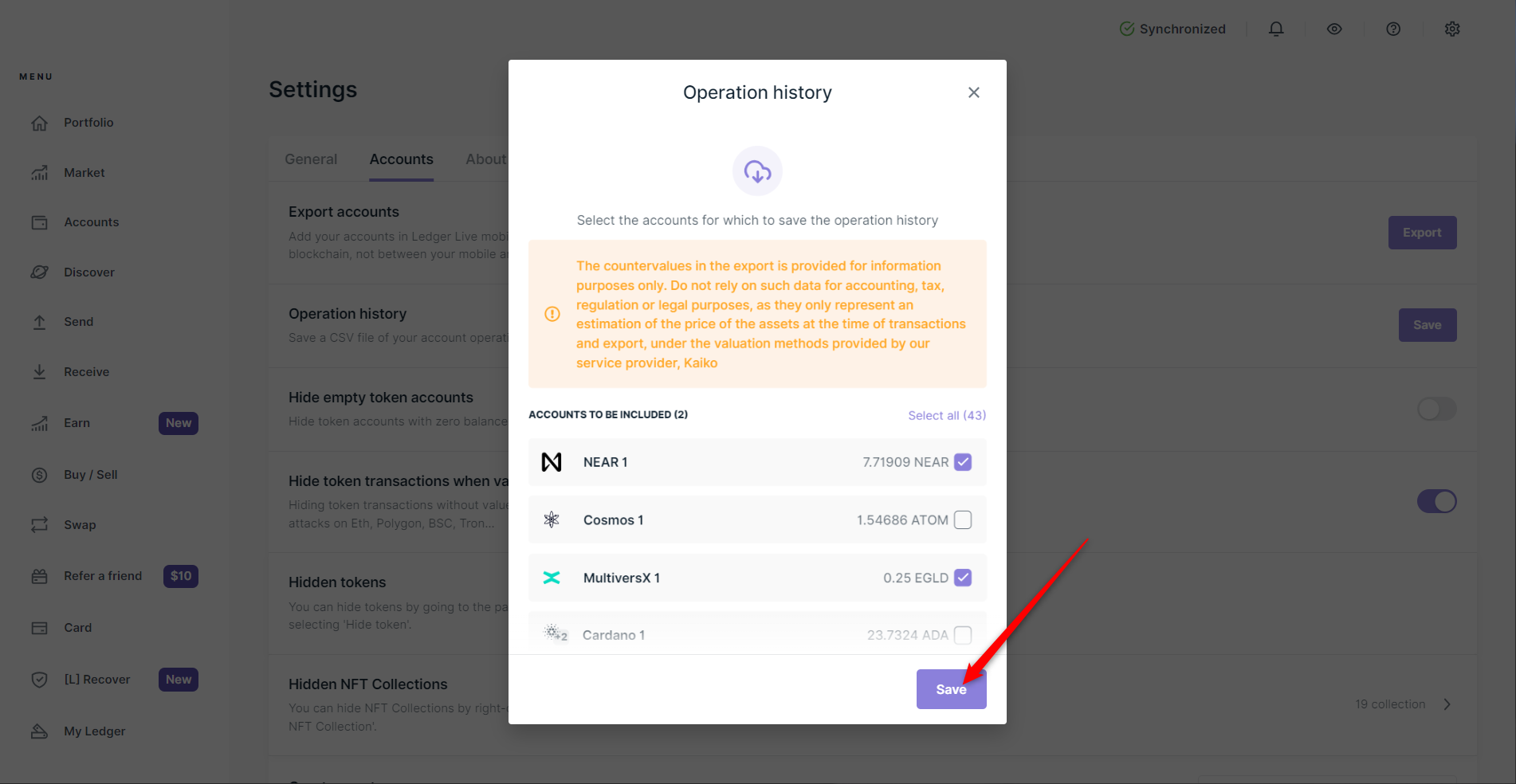
- Select the accounts to export and click again on Save.

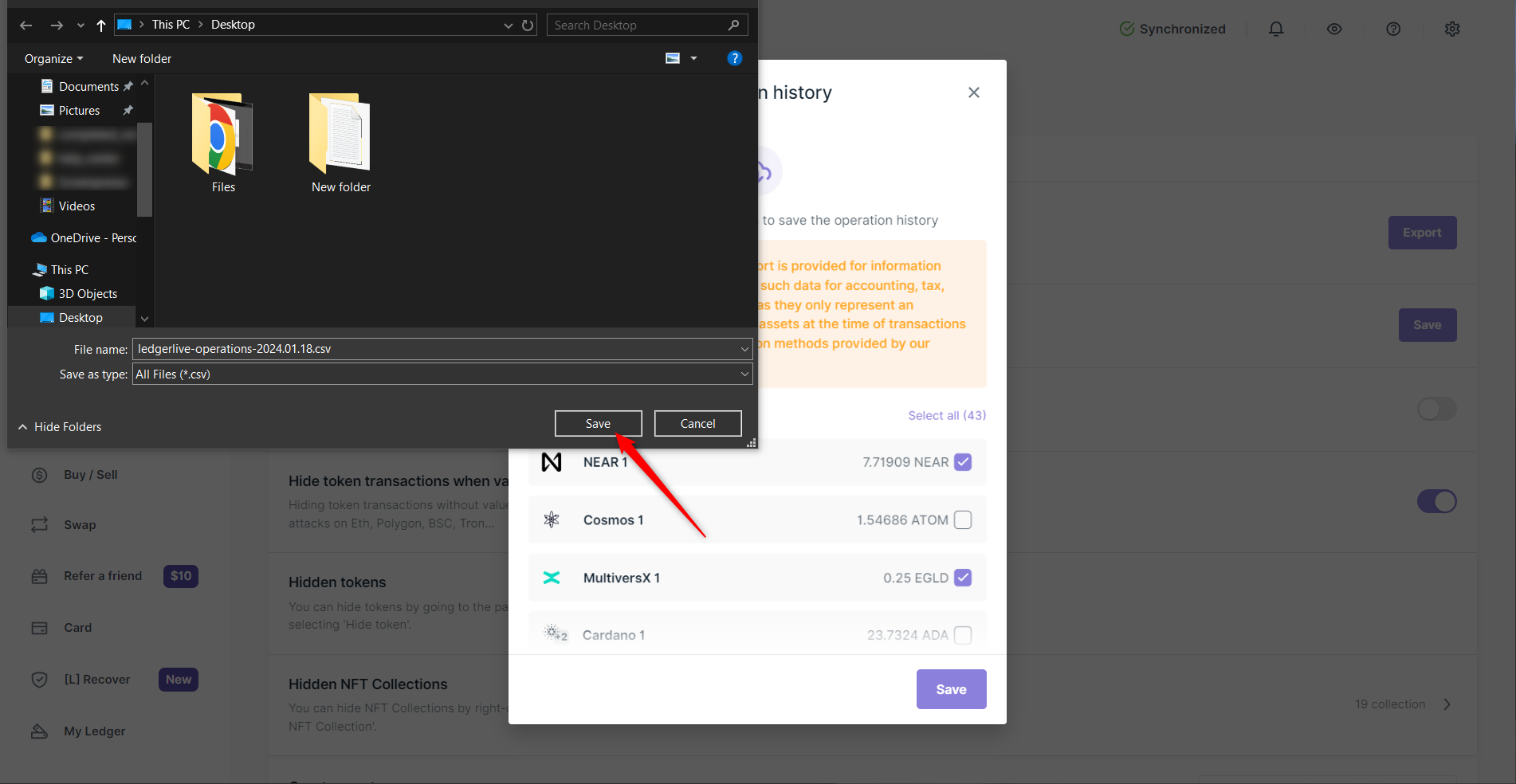
- Choose the location on your computer to save the CSV file and click Save.

How to import my CSV Ledger into Exceefy ?
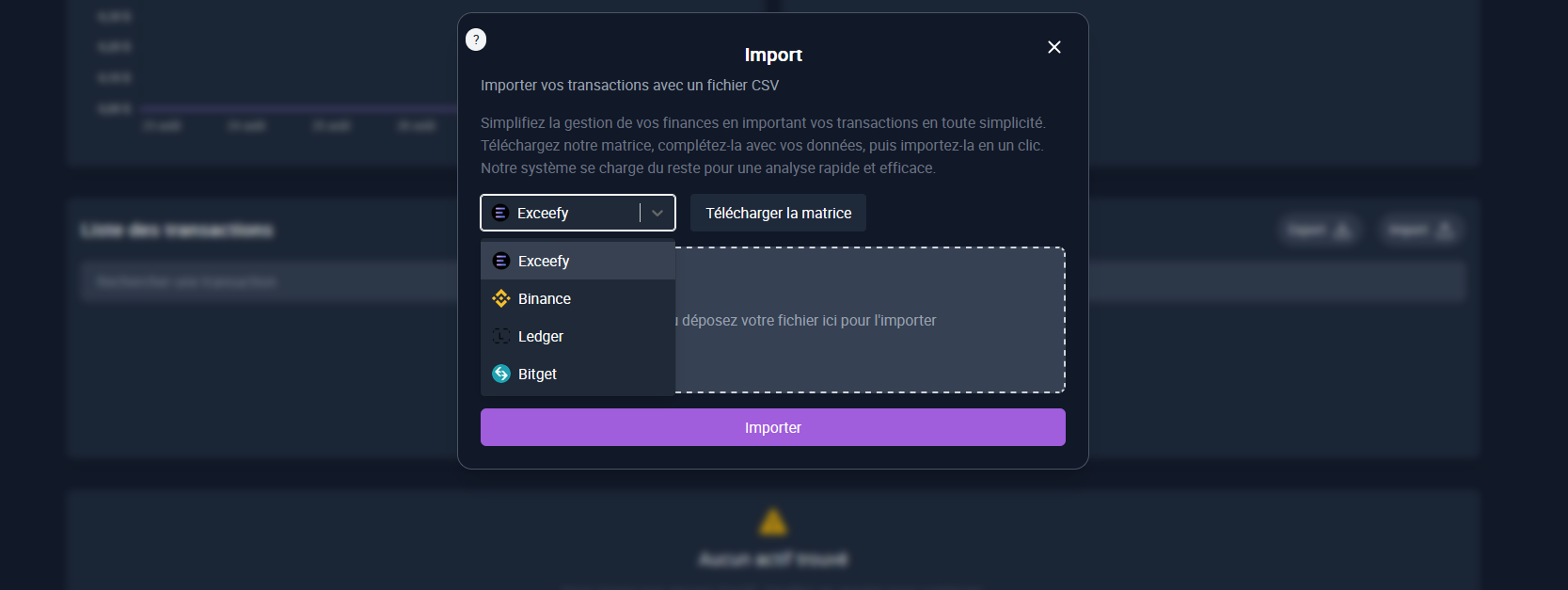
In Exceefy, go to Waller → Import
In the import menu, select Ledger
Choose the CSV file that you have exported from Ledger Live
Follow the instructions to finalize the import

💡Tip: Create a separate wallet for Ledger in order to separate your LEDGER transactions from your other wallets and follow your investments more easily.